App Info and Config
A Sensative VSM sensor runs an app: a set of rules that decides what it measures, how often it reports, and what it puts in each report. Two links take you from a device in Yggio to what that app actually does, and to the tool that configures it.
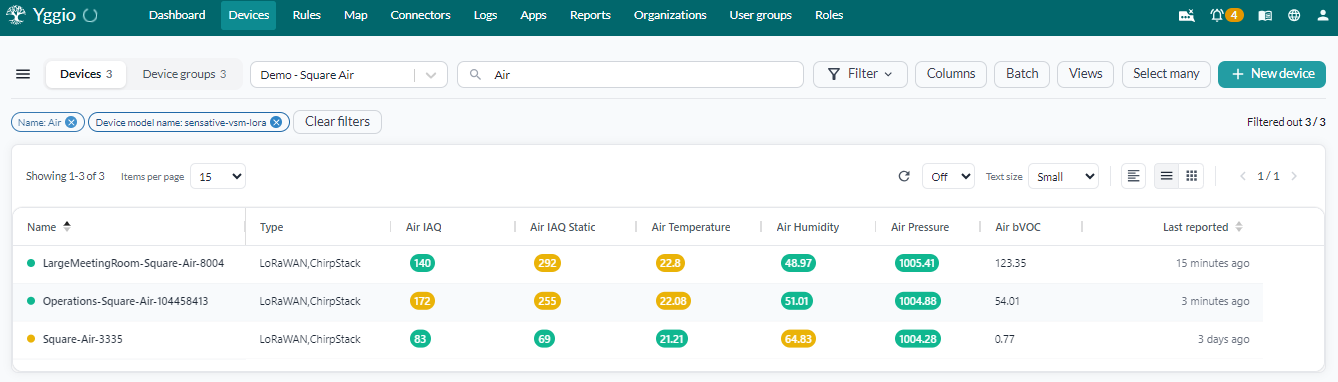
Square Air is one such sensor. In the device list it reports as the device model
sensative-vsm-lora, and what it measures - air quality, temperature, humidity, pressure - is
decided by the app it is running.
Where the buttons are
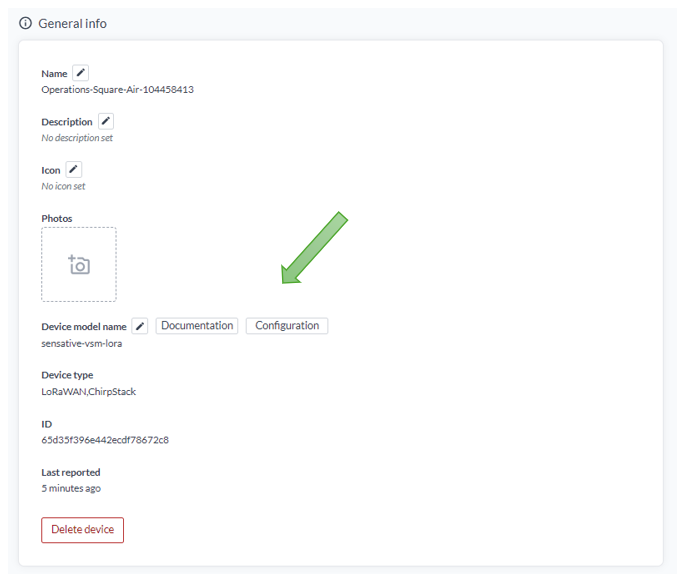
Open the device and look at the General section. Next to the device model you will find two buttons:
| Button | What it opens |
|---|---|
| Documentation | The published documentation for the exact app this device is running |
| Configuration | The VSM config tool, with this device's app already selected |
Both appear only once the device has reported which app it runs. A sensor that has not yet sent an uplink, or one that is not a VSM sensor, shows neither.
Documentation
Every VSM app is published with its own description: what each rule does, which values the app reports, and what its settings mean. The Documentation button opens the page for the app version your device is running, identified by the app's checksum, so you are reading about the app in front of you rather than a newer one.
The documentation is public, at github.com/Sensative/vsm-application-documentation. If Yggio knows the device runs a VSM app but not yet which one, the button opens the index of all apps instead of a single page.
Configuration
The Configuration button opens the VSM config tool with the device's app preselected. The tool shows the app's rules and settings and lets you produce a configuration for it.
The same tool is available from Apps in the main menu, listed as VSM config tool, which opens it without a device preselected.
Note: the VSM config tool requires a separate login. If you do not have one, contact technical support.
Changing the app
The config tool works on an app's settings. Installing a different app on the device over the air is a separate job, described in App Upgrade.