Run history
Every time a rule runs, Yggio records what happened. The history is the first place to look when a rule does not do what you expected. It shows what the rule actually saw, rather than what you meant it to see.
Open it from the history button on the toolbar above the canvas.

The list
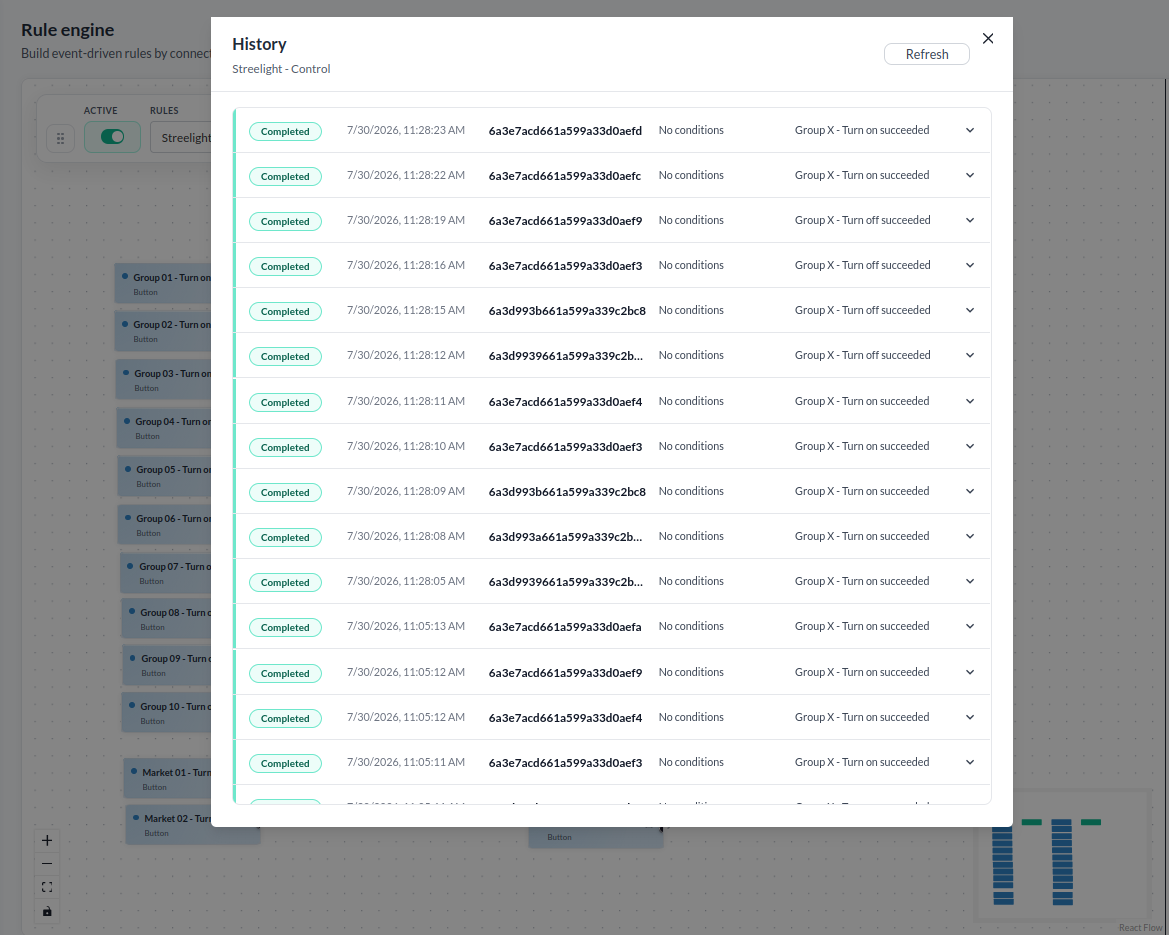
Each row is one run, newest first.
| Column | What it shows |
|---|---|
| Status | How the run ended |
| Time | When it ran |
| Device | The device the run was for, if any |
| Conditions | How many conditions matched, or "No conditions" |
| Actions | What the actions did |
Refresh fetches the latest runs. The list does not update itself.
| Status | Meaning |
|---|---|
| Completed | The rule ran to the end |
| Failed | Something in the rule threw an error |
| Stopped | The run ended early |
| Skipped | Nothing ran - an inactive rule, for instance |
Expand a row to see the detail: which blocks were visited, what each condition compared and what it concluded, and what each action did.
A run started by another rule's Trigger rule action names the rule and the action behind it. A rule that ran with nothing of its own happening therefore still explains itself.
Reading a failure
A failed action carries its error. For an HTTP request, the history decodes the response: a 401 is shown as Unauthorized, a 404 as Not Found. It also names connection failures, such as a refused connection or a timeout. That is usually enough to tell a wrong URL from a wrong credential.
When a rule does not fire
Three things account for most of it, in this order.
- The rule is inactive. The Active switch on the toolbar.
- The trigger never fired. No run appears in the history at all. Check the trigger's devices, and for Missing expected report, that the devices have an Expected Report Interval set.
- A condition never matched. Runs appear but no action ran. Expand a run and read what the condition compared - a path the event does not carry reads as empty, and the comparison comes out false. A mistyped field path looks exactly like a value that never crossed the threshold until you look here.
If the actions ran but nothing arrived, the problem is past the rule: the connector, the recipient, or the endpoint. The action row carries the error the connector returned.
Watching a rule run
The canvas animates a run as it happens, lighting the blocks and connections along the path the event took.
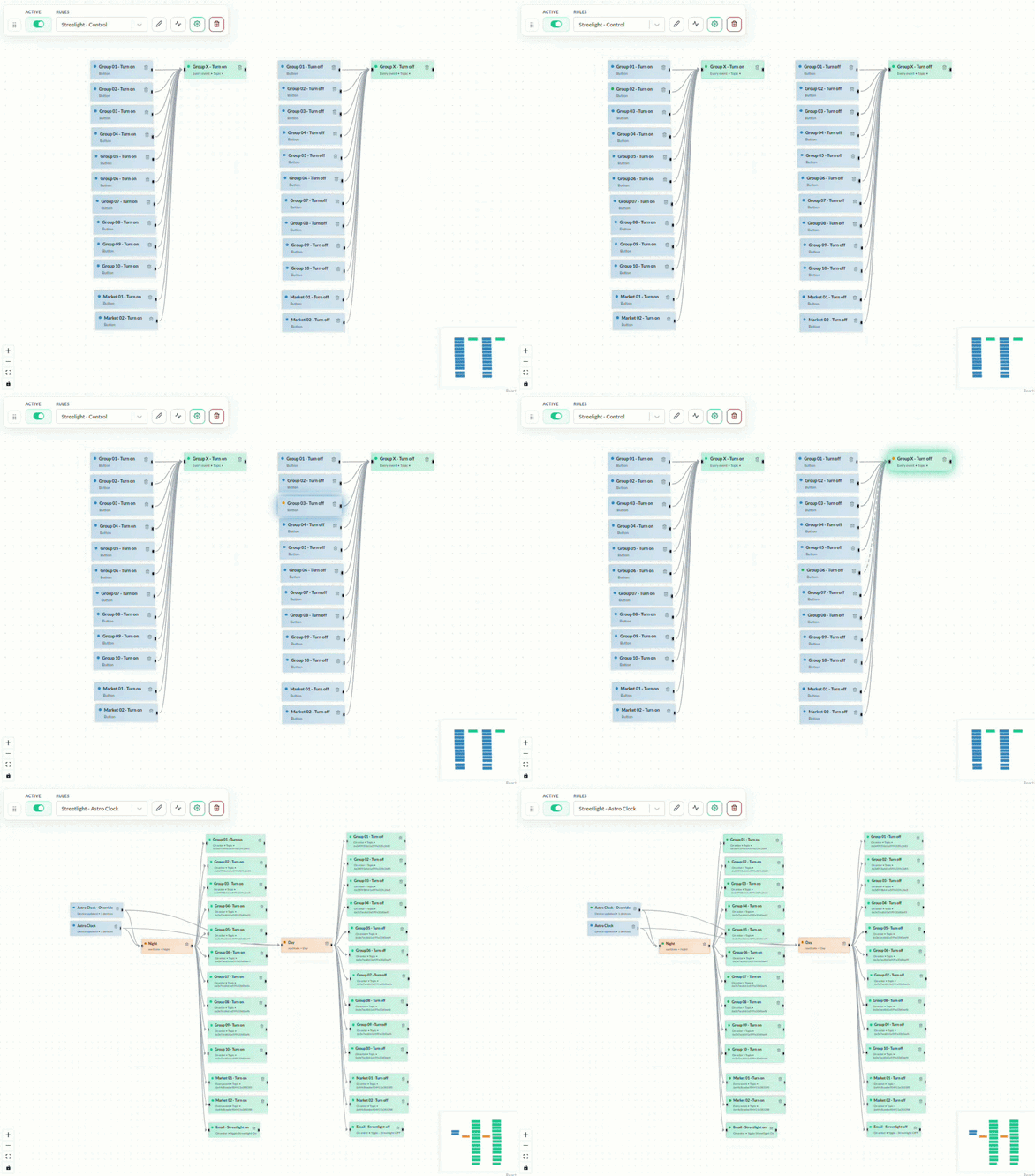
It is worth leaving the editor open the first time a new rule is due to fire, since seeing which branch the flow takes is faster than reconstructing it afterwards.
Pressing the trigger button runs the saved rule immediately and animates that run, which is the quickest way to prove a rule end to end.