Actions
An action is what the rule does when the flow reaches it. A rule may end in as many actions as you like, and they all run.
| Action | What it does |
|---|---|
| Send MQTT | Publishes a message to an MQTT topic |
| Send LoRaWAN downlink | Sends a downlink to a LoRaWAN device |
| Device update | Writes fields onto a Yggio device |
| Send email | Emails organization members or addresses you type |
| Send SMS | Texts organization members or numbers you type |
| Send HTTP | Calls an external endpoint |
| Write log | Writes an entry to the Logs page |
| Trigger rule | Runs another rule |
| Do nothing | Ends the branch without doing anything |
Most actions send through a connector, so create the connector before you build the rule. The action's connector list only offers connectors of the right kind.
Message bodies, topics and payloads accept variables that resolve when the rule runs.
Each action is configured in the Settings panel on the right of the canvas.
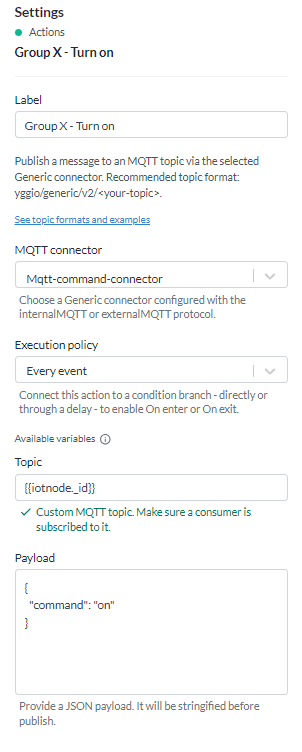
Send MQTT
Publishes a message to an MQTT topic through a Generic connector.
| Setting | What it does |
|---|---|
| Connector | A Generic connector with an MQTT protocol |
| Topic | The topic to publish on |
| Payload | The message body |
The recommended topic shape is yggio/generic/v2/<your-topic>. See
Generic MQTT for the formats and what subscribes to them.
This is the action behind most actuator control. The lighting rule on the overview page is ten of these, one per lighting group.
Send LoRaWAN downlink
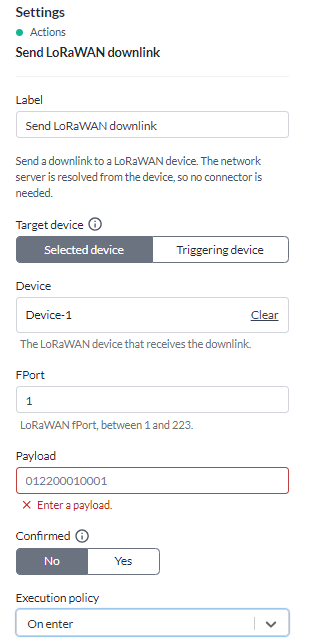
Sends a downlink to a LoRaWAN device. No connector is needed - the network server is taken from the device itself.
| Setting | What it does |
|---|---|
| Device source | Selected device, or the triggering device |
| Device | Which device, when the source is a selected device |
| Port | The LoRaWAN fPort, 1 to 223 |
| Payload | The frame, as hexadecimal |
| Confirmed | Ask the device to acknowledge the downlink |
Triggering device sends to whichever device started the rule, so one rule serves a whole fleet. It needs a trigger that carries a device - a sun event trigger does not, so there you have to name the device.
The payload is whole bytes of hexadecimal, so an even number of characters, up to 242 bytes. It can contain variables, and the literal stretches between them still have to be whole bytes.
Note: a variable that does not resolve fails the action rather than sending a short frame. A shortened frame would be a different command, which is worse than no command.
Device update
Writes values onto a Yggio device the way a report from the device would, so they show on the device
and in its time series. Use it for simple alarms and status flags, such as temperatureHighAlarm or
batteryLow, without writing a translator.
| Setting | What it does |
|---|---|
| Target device | The triggering device, or a device you pick |
| Device | Which device, when you pick one |
| Values to write | A list of fields, or a JSON object |
| Field | A field from the standard data model, or a name you type |
| Value type | Boolean, Number or String. Filled in for a standard field, but you can change it |
| Value | What to write. Accepts variables |
| Run translators | Whether the device's own translators run over the values. Off by default |
| Execution policy | When the action runs |
A written value never starts a rule: not this one, not any other rule on that device, and not through a calculation fed by it. Otherwise a rule writing to its own trigger device would fire again on its own write. To run another rule on purpose, use Trigger rule.
Fields that belong to Yggio, the integration or the translator (devEui, secret, reportedAt and
the like) cannot be written, and neither can a name starting with $. A true/false value is stored
as 1/0 in the time series so it charts with the measurements; the device itself keeps true/false.
One action writes at most 20 fields. A field name can be up to 200 characters, a value up to 2,000 and a JSON object up to 20,000.
Leave Run translators off unless you write a raw measurement and want the device's translators to derive from it. With it on, a translator's value wins over yours for the same field, and a translator that decodes raw payloads decodes the last report again.
A write never changes the device's last-reported time, whichever device it targets, so a device that has gone quiet does not look like it is still reporting.
Send email
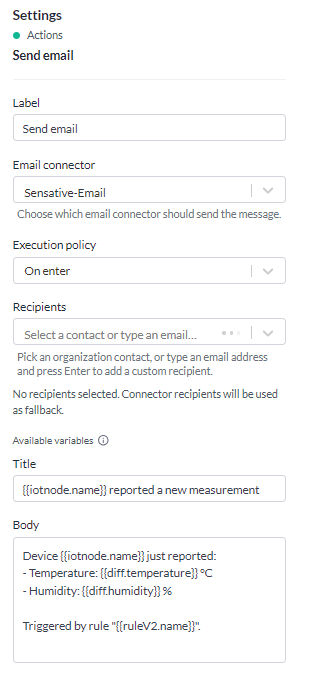
| Setting | What it does |
|---|---|
| Connector | An Email connector |
| Title | The subject line |
| Body | The message |
| Recipients | Who receives it |
| Execution policy | When the action runs |
Recipients are either organization members - the contacts in your organization that have an email address - or addresses you type in. Both can be used on one action.
Send SMS
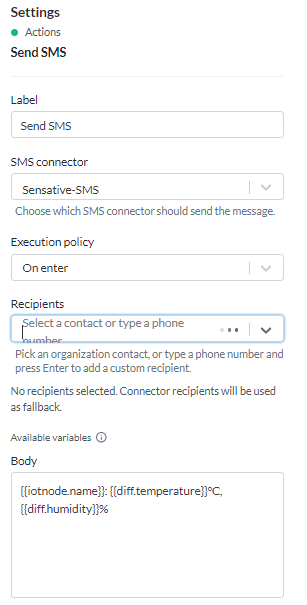
| Setting | What it does |
|---|---|
| Connector | An SMS connector |
| Body | The message |
| Recipients | Organization members with a phone number, or numbers you type |
| Execution policy | When the action runs |
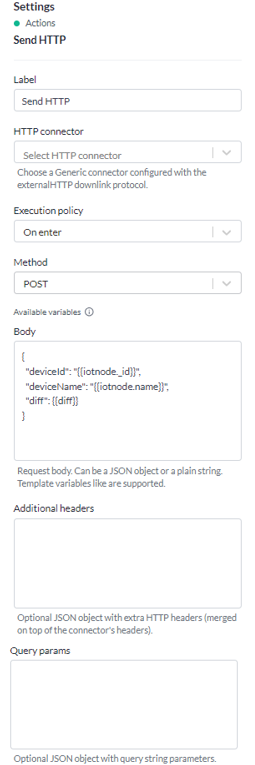
Send HTTP
Calls an external endpoint through a Generic connector configured for HTTP.
| Setting | What it does |
|---|---|
| Connector | A Generic connector with an external HTTP downlink |
| Method | GET, POST, PUT, PATCH or DELETE |
| Headers | A JSON object of headers |
| Params | A JSON object of query parameters |
| Body | A JSON object or plain text |
| Execution policy | When the action runs |
Headers and params have to be valid JSON objects once their variables have resolved. The body may be either JSON or plain text.
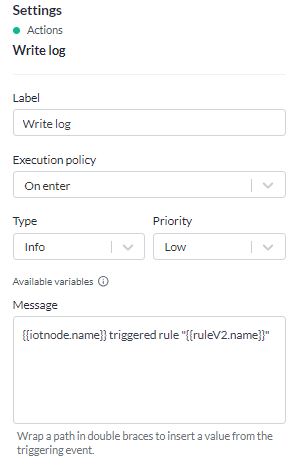
Write log
Writes an entry to the Logs page, filed against the rule.
| Setting | What it does |
|---|---|
| Message | The text, up to 512 characters |
| Type | Info, Warning or Error |
| Priority | Low, Medium, High or Severe |
| Execution policy | When the action runs |
It is the cheapest way to leave a trail. A rule started by a sun event or a timer touches no device, so without this action the only record of it is the run history. A log entry is searchable alongside everything else.
Trigger rule
Runs another rule, without that rule waiting for its own trigger.
| Setting | What it does |
|---|---|
| Target rule | The rule to run |
| Trigger | Optional. Which of the target's triggers to enter at |
| Execution policy | When the action runs |
Only the target's trigger matching is bypassed. Its conditions still evaluate, against the event forwarded from this rule.
Naming a trigger runs only the branch below it. Leave it empty and the whole target rule runs, every trigger included - which is not what you want for a rule whose triggers do opposite things. A streetlight rule with one trigger for sunset and one for sunrise would switch the light on and off at once.
It is how a manual override reaches an automatic rule: a button or a light sensor drives a rule that chains into the branch of the scheduled rule it wants to take over.
The run history of the target records which rule and which action started the run, so a rule that ran with nothing of its own happening can still be traced back.
A chain cannot loop: a rule already run in the chain is not run again, and a chain stops after ten rules or twenty-five runs. A refused chain is recorded as a failed action in the run history of the rule that tried it, naming the path it refused.
Do nothing

Ends the branch without doing anything. It is a placeholder while you build - it lets you wire a condition's branch and check the shape before the real action exists.
When an action runs
Every action except Do nothing has an execution policy, which decides how often it fires relative to the condition in front of it.
| Policy | Runs |
|---|---|
| Every event | Every time the flow reaches the action |
| On enter | Once, when the condition turns from false to true |
| On exit | Once, when it turns back from true to false |
On enter and On exit are what stop an alert repeating. A temperature above 25 degrees on a sensor reporting every five minutes would otherwise send a message every five minutes for as long as it stays warm. On enter sends one when it crosses, and an On exit action on the false branch sends the all clear when it drops back.
Two rules apply to the wiring:
- An On enter action has to be reachable from a condition's true branch.
- An On exit action has to be reachable from a condition's false branch.
"Reachable" allows a delay in between. An action wired straight to a trigger has no condition to transition, so only Every event is available there.
The state is kept per device, so one rule watching a hundred sensors tracks a hundred separate crossings.