Multi-Device Value
The Multi-Device Value widget displays current values from multiple devices and fields in a configurable grid. See Device Value for the single-device equivalent.
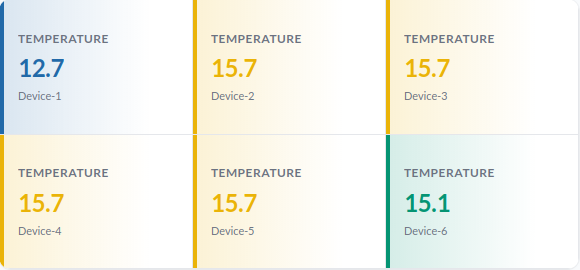
Setup

- Devices selects the devices to display in the widget.
- Field Name sets the field to display. The name must match exactly. If the field does not exist on a device, the value is shown as a dash (–).
Colour and thresholds
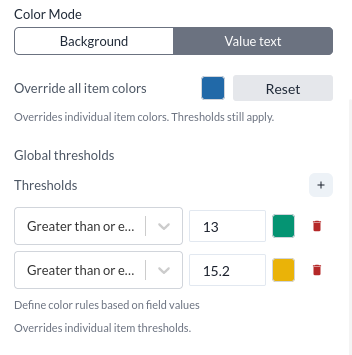
- Color Mode sets whether color is applied to the background or the value text.
- Override All Item Color sets a base color for all devices.
- Global Thresholds sets thresholds that change the color of values within defined ranges.
Items
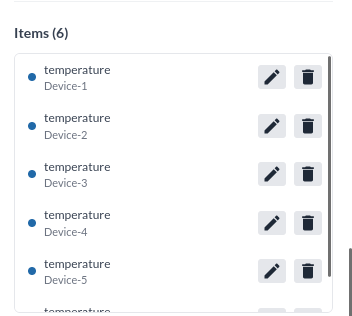
The Items section lists the added devices. Individual devices can be edited or removed.
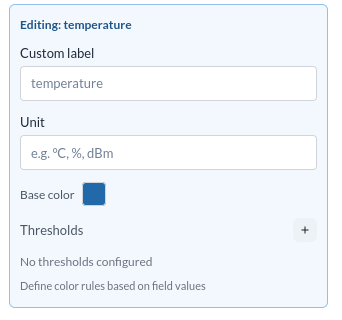
Editing an individual device allows setting a custom label, unit, base color, and thresholds for that device.
Layout
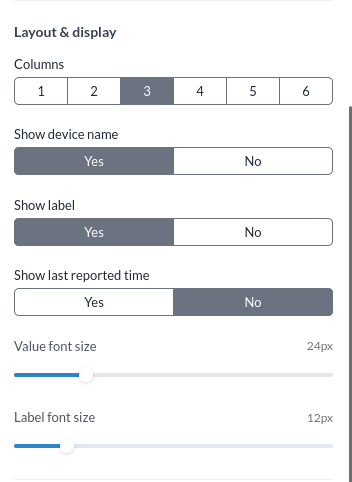
- Columns sets the number of columns in the grid. Options are 1 to 6.
- Show Device Name shows or hides the device name.
- Show Label shows or hides the label.
- Show Last Reported Time shows or hides the last reported timestamp.
- Value Font Size sets the font size for values.
- Label Font Size sets the font size for labels.
Heading

- Heading sets the widget heading.