SMS Connector
This guide explains how to create and configure an SMS connector in Yggio. Three providers are supported: 46elks, Telnyx and Twilio.
Overview
- SMS connectors enable sending SMS messages via rule actions.
- You must have an account with one of the supported providers.
- Required fields are validated in the UI.
Supported Providers
Creating an SMS Connector
- Go to the Connectors section in the Control Panel (
/control-panel-v2/connectors). - Click New Connector and select SMS as the type.
- Choose your SMS service provider. The credential fields below change to match it.
- Fill in the required fields for your provider (see below).
- Specify the sender (From) number. For Telnyx and Twilio, it must be in E.164 format (e.g.,
+1234567890). - Save the connector.
Field Details by Provider
Common Fields
| Field | Description | Required | Validation |
|---|---|---|---|
| From | Sender number (see provider notes) | Yes | E.164 or alphanumeric |
46elks
| Field | Description | Required | Validation |
|---|---|---|---|
| API Username | 46elks username | Yes | Non-empty |
| API Password | 46elks password | Yes | Non-empty |
From: Can be E.164 or alphanumeric (max 11 chars).
Telnyx
| Field | Description | Required | Validation |
|---|---|---|---|
| API Key | Telnyx API Key | Yes | Non-empty |
From: Must be E.164 format.
Twilio
| Field | Description | Required | Validation |
|---|---|---|---|
| Account SID | Twilio Account SID (starts with AC) | Yes | Must start with AC |
| Auth Token | Twilio Auth Token (secret) | Yes | Non-empty |
From: Must be E.164 format.
Example
These are the connector fields. The recipient is not one of them; it is set on the rule action that sends the message.
46elks:
- API Username:
your_46elks_username - API Password:
your_46elks_password - From:
MyCompany
Telnyx:
- API Key:
your_telnyx_api_key - From:
+46700000000
Twilio:
- Account SID:
ACXXXXXXXXXXXXXXXXXXXXXXXXXXXXXXXX - Auth Token:
your_auth_token - From:
+46700000000
Notes
- For Telnyx and Twilio, all numbers must be in E.164 format (e.g.,
+1234567890). - For 46elks, the sender can be E.164 or an alphanumeric string (max 11 chars).
- Recipients are chosen per rule action, not on the connector.
- You must have a valid account with your chosen provider.
Screenshots
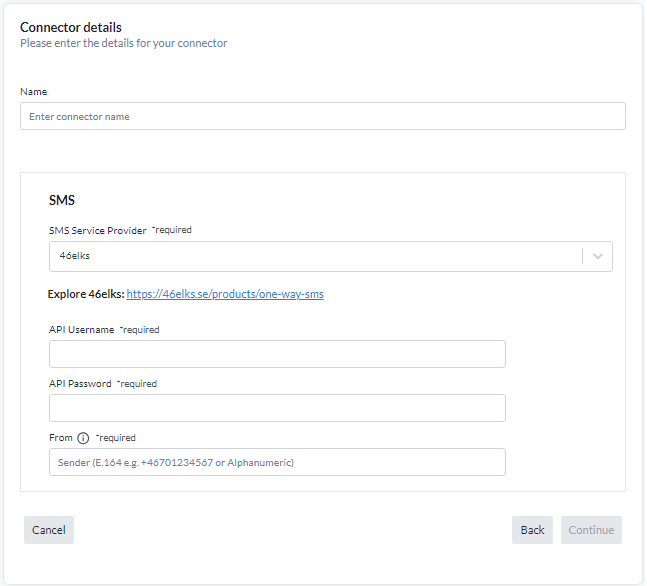
The credential fields change with the provider selected; the From sender is common to all.
Messaging Statistics
On the saved connector page, you will see a statistics panel showing:
- Total Sent: Number of messages successfully sent.
- Total Fails: Number of failed send attempts.
- Sent This Month: Number of messages sent in the current month.
- Success Rate: Percentage of successful deliveries.
- Attempts: Total number of send attempts (successes + failures).
- Last Sent: Timestamp of the most recent successful send.
- Last Failed: Timestamp of the most recent failed send.
- Last Error: The latest error or warning message, if any, with timestamp.
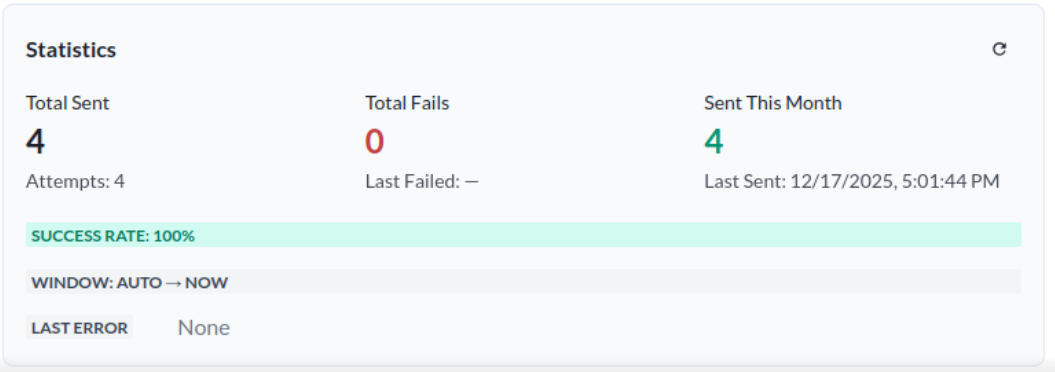
These statistics help you monitor the health and performance of your connector.
Error Logging
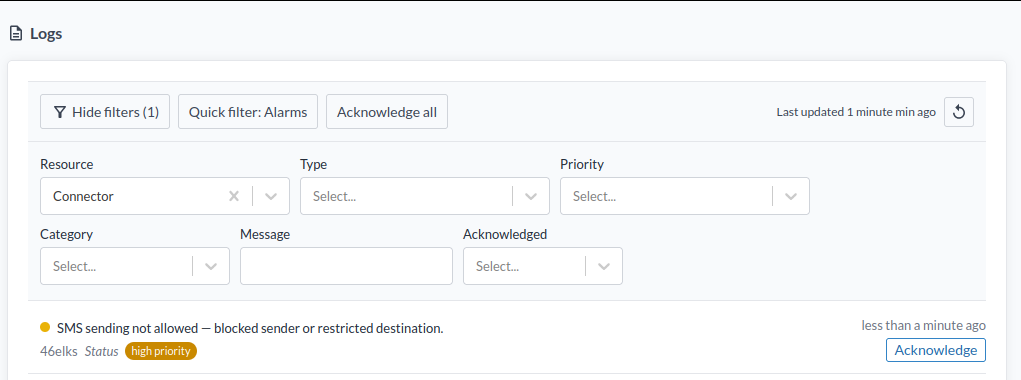
If the connector fails to send an SMS, an error log will be displayed in Logs under Resource → Connector. You can review these logs to diagnose and resolve issues with your connector configuration or SMS provider.