Lektion 2.2 Beräkningar
Beräkningar syftar på olika beräkningar att tillämpa mellan enheter. En beräkning skapar en virtuell nod som håller resultatet av beräkningen. Datan som enheten använder går inte tillbaka i tiden; i stället används data från efter att beräkningen skapades. I enhetsdetaljerna för den beräknade enheten kan du se vilka enheter som ingår, vilket värde som användes och typen av beräkning. Det är en av plattformens kraftfullaste funktioner och kan användas för att förverkliga en mängd olika användningsfall.
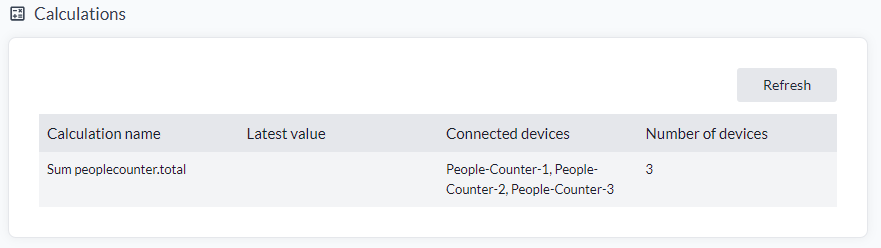
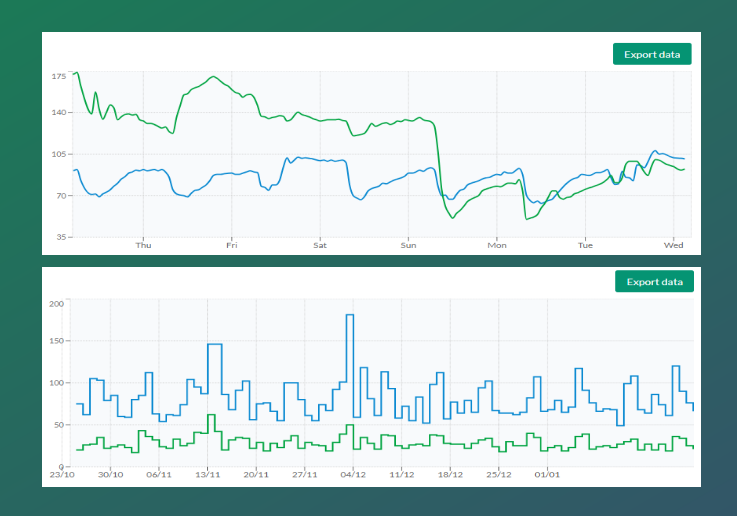
I den här lektionen går vi igenom de tillgängliga beräkningstyperna och lär oss hur var och en påverkar databehandling och visualisering.
Tillgängliga beräkningar
Det finns två typer, och typen avgör vad som jämförs:
- Last value based jämför det senaste värdet från varje vald enhet mot de andra, och ger dig en beräknad enhet för hela urvalet. Metoderna är Mean, Min, Max, First, Last, Count, Sum och Difference.
- Window based jämför en enhets egna värden i följd över ett rörligt fönster, och ger dig en beräknad enhet per vald enhet. Metoderna är Difference och Derivative.
Varje metod beskrivs i Beräkningar i användarhandboken.
Skapa beräknade noder
En beräknad nod är en enhet som tar ett specifikt värde, utför en beräkning på datan och sedan presenterar resultatet som en enhet. Låt oss testa.
- Tryck på "Select Many".
- Välj enheter att lägga till i beräkningen.
- Tryck på "Select Action" och sedan "Calculate".
- Välj en typ, sedan en beräkning.
- Välj ett "Measurement" för dina enheter.
- Välj ett namn för din beräknade enhet.
- Tryck på "Create".
Den fullständiga genomgången, inklusive fönsterinställningarna och vad du kan förvänta dig efteråt, finns i Skapa en beräkning.
- Upprepa processen för olika typer av IoT-noder och mätvärden, och lägg larmöversättare på den beräknade noden. Det låter dig övervaka förhållanden som om medeltemperaturen i en byggnad är för hög eller för låg.
- Lägg beräknade noder i dina vyer och dashboards för tydliga och insiktsfulla visualiseringar.
- Med Swagger-API:et kan du också rikta flera beräkningar till samma IoT-nod.
Viktigt: För fall som involverar villkorslogik, filtrering eller egna tröskelvärden, använd ett dataflöde eller en översättare i stället för beräknade noder.
Om du behöver utföra beräkningar över ett stort antal enheter är en översättare också det alternativ som föredras. Översättarfunktionen "Additional Device Update" erbjuder överlägsen skalbarhet jämfört med beräknade noder, eftersom den arbetar endast på inkommande händelser snarare än på lagrad tidsseriedata.
Exempel på användningsfall
Användningsfallen för beräknade noder, både de vardagliga och de specialiserade, är samlade i användarhandboken: Beräkningar. Gå igenom några av dem som passar din egen installation.